Paste one link
Savelume recognizes supported media pages without a complicated setup.
 Savelume
Local-first media utility for Windows
Save media. Keep the original quality. Skip the cloud.
Paste a link, press Enter, and Savelume saves the best available video or MP3 directly to your computer.
Get SavelumeSee pricingAvailable for Windows 10 and 11.
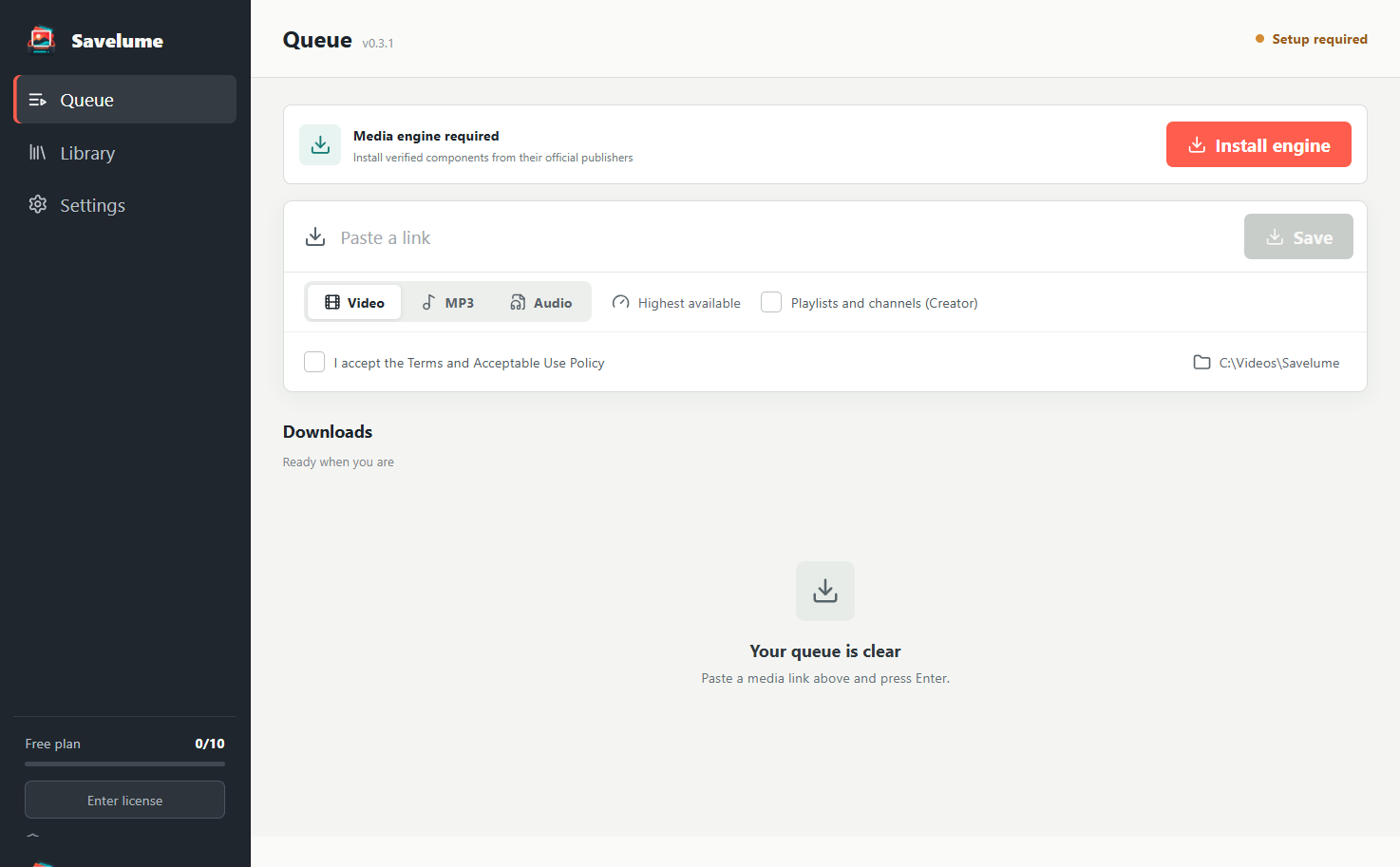
A shorter path from source to file
Savelume recognizes supported media pages without a complicated setup.
Original-quality video is the default. Audio extraction takes one click.
Files save directly to your chosen folder and can be grouped by source.
Local by design
Savelume runs on your computer and saves to a folder you control. There is no media upload, no cloud conversion queue, and no per-gigabyte processing bill.
Simple pricing
Prices are in USD. Choose the plan that fits how often you save media.
$0no account needed
Try the complete single-link workflow.
$29USD one time
Unlimited Savelume for one user.
$99USD one time
For small teams managing media.
Straight answers
Savelume is designed for many common media pages. Site support can change when a source changes its technology or policies, so no individual third-party source is guaranteed forever.
No. The desktop app processes and saves media locally. Stripe and Savelume process only the purchase, contact, and license information described in the Privacy Policy.
It downloads required open-source media components directly from their official publishers and verifies their file hashes before installation.
Yes. Video mode requests the highest available video and audio streams, then combines them locally when necessary.
Yes. MP3 mode extracts the best available audio and converts it locally at high quality.
Media sites change frequently. Paid plans fund compatibility updates, signed releases, support, and the work that keeps a desktop utility dependable.
Ready when you are
Start with 3 free saves or unlock unlimited use with a one-time purchase.